Learning Outcome 1
Interactive Media Design and User-Centric Development
Introduction
My approach to interactive media design centers on creating meaningful digital experiences. I focus on seamlessly blending functionality with aesthetic appeal. Throughout my projects, I prioritize user needs while leveraging modern web technologies to deliver engaging interfaces.
In navigating the tech, media, and design landscape, I position myself at the intersection of creative expression and technical implementation. I work on diverse projects ranging from promotional artwork for artists like Owen Bryce to interactive web applications. My portfolio includes Project X Music and Picoo. I maintain a balance between visual innovation and practical usability. The end-user experience always remains at the forefront of my design decisions.
User-Centered Design Process
User Research Methods
My user research approach involves creating detailed personas that guide design decisions. For Project X Music and Owen Bryce's promotional materials, I developed Lina. She's a 21-year-old university student who embodies our target audience. She's thoughtful and introspective and enjoys indie pop music. She values simplicity in her digital interactions. Her preference for calm, easy-to-navigate interfaces directly influenced our minimalist design approach.
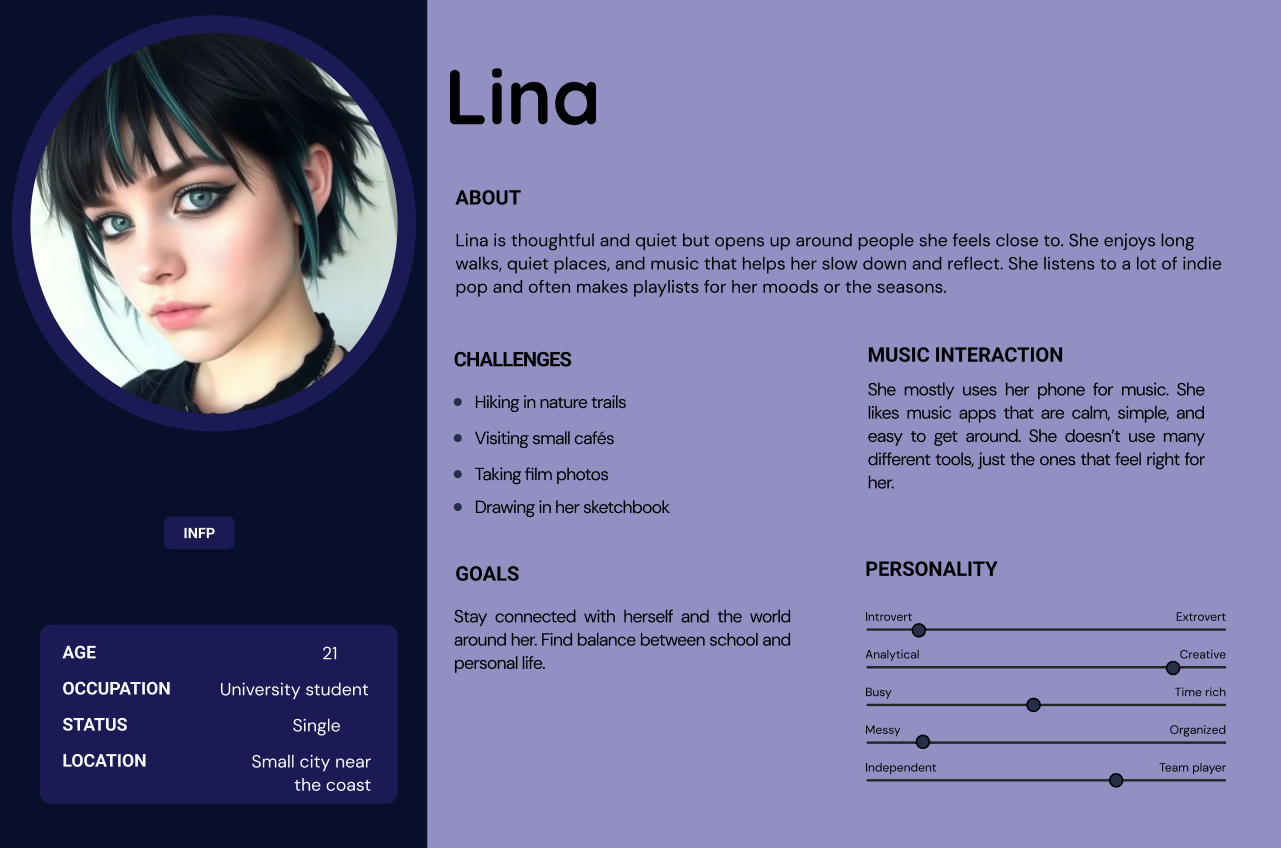
Lina's Persona
For the Picoo quiz application, I created Maria. She's a 29-year-old primary school teacher who represents our educator user base. With five years of classroom experience, Maria needs tools that are simple to implement. She doesn't want to spend time learning complex technical features. Her goals shaped our focus on intuitive, ready-to-use quiz functionality. She needs to keep students engaged while managing limited preparation time.
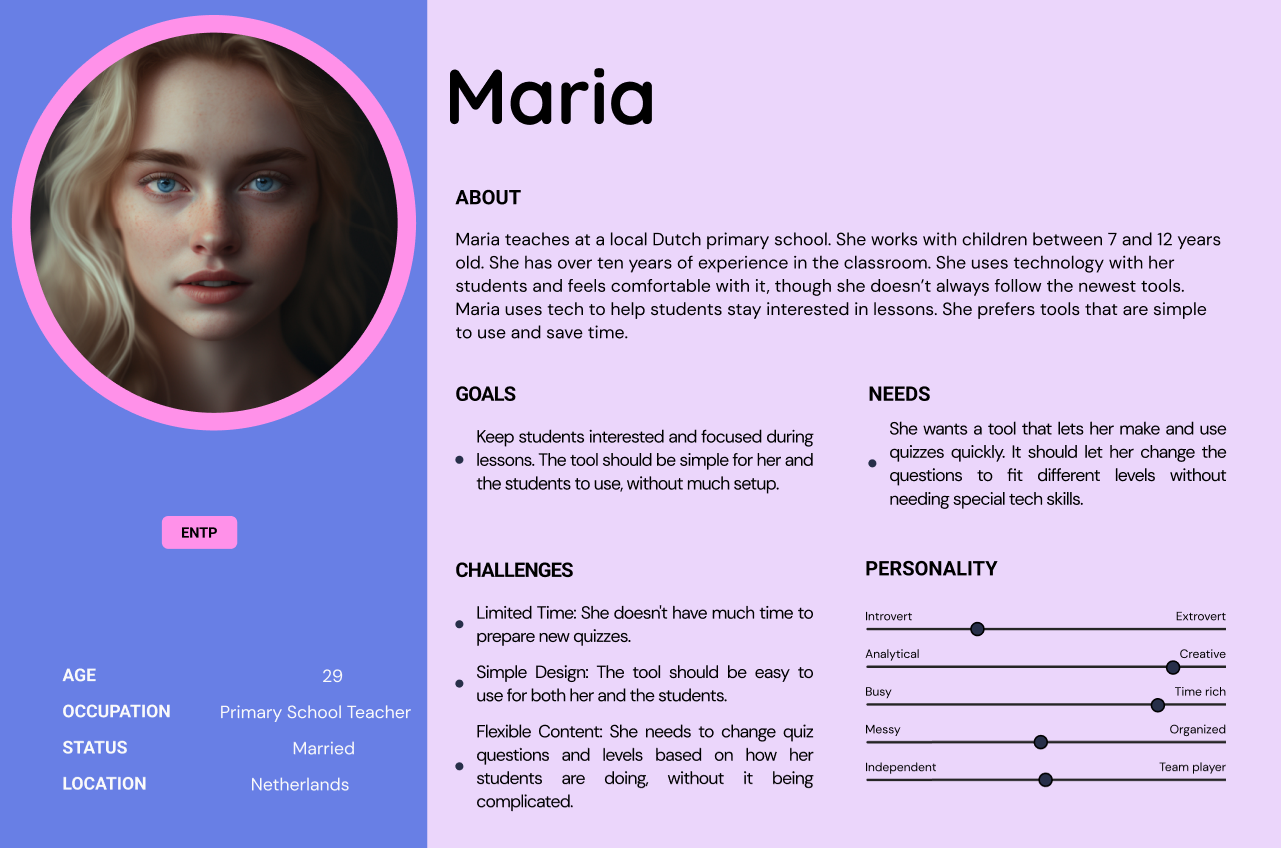
Lina's Persona
Design Iterations
The development process involved multiple iterations based on continuous user feedback. I tested initial prototypes with representative users from both target groups. This led to significant refinements in navigation structure and visual hierarchy. Interactive elements were also improved based on user input.
Interactive Features Showcase
Project X Music - Interactive Elements
- Audio Preview System: Users can listen to complete tracks at lower quality before purchase. After buying, they receive the highest quality version. Each song includes a visual waveform display and playback controls.
- Dynamic Volume Control: I developed an intuitive volume adjustment feature. It remembers user preferences across sessions. This ensures a consistent listening experience.
- Advanced Filtering System: Users can browse by multiple genres including Metal, Rock, Pop, Electronic, Hip Hop, House, Techno, and Jazz. They can also search by artist name. The search bar enables quick lookups of specific tracks.
- Responsive Shopping Cart: The cart system provides instant visual feedback. "Add to Cart" buttons respond immediately to user actions. The cart maintains its state across page navigation.
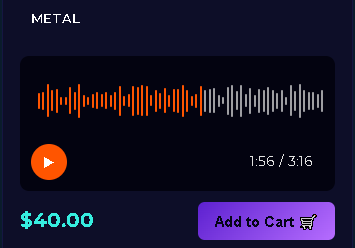
Audio Preview System

Dynamic Volume Control
Picoo - Interactive Quiz Features
- Category-Based Navigation: Children can explore different quiz categories through an engaging visual system. Categories include Animal Bunch, Cartoons, Nature, Music, and Sports.
- Age-Appropriate Interface: Touch-friendly interactions feature large, colorful buttons. Clear visual feedback makes the app suitable for children aged 7-12.
- Progress Tracking: Visual indicators show quiz completion status. Question counts help young users understand their progress through each quiz.
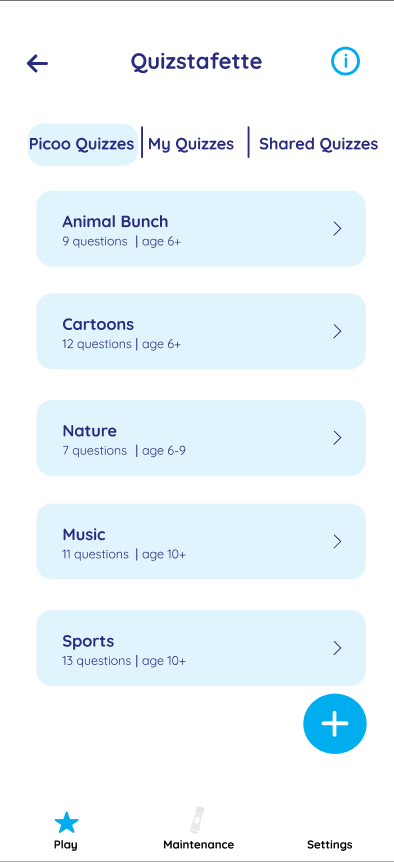
Category-Based Navigation
Stakeholder Communication
Educator Feedback Integration
I maintained regular communication with stakeholders throughout both projects. For Project X Music, educator feedback highlighted specific improvement areas. They requested better visual hierarchy and clearer call-to-action elements. This feedback directly led to several changes:
- - Enhanced contrast ratios for better readability
- - Larger "Add to Cart" buttons with distinctive purple coloring
- - Clearer price displays with improved typography
- - More intuitive genre filtering with visual category separation
Artist Collaboration
Working with Owen Bryce required ongoing dialogue about his promotional materials. We needed to ensure the visual design aligned with his artistic vision. The "Doubts" artwork features a silhouette against a purple-pink sunset. This design emerged from multiple feedback sessions. We refined the emotional tone to match the track's introspective nature.
Feedback and implementation
Examples of issues and improvements throghout projects
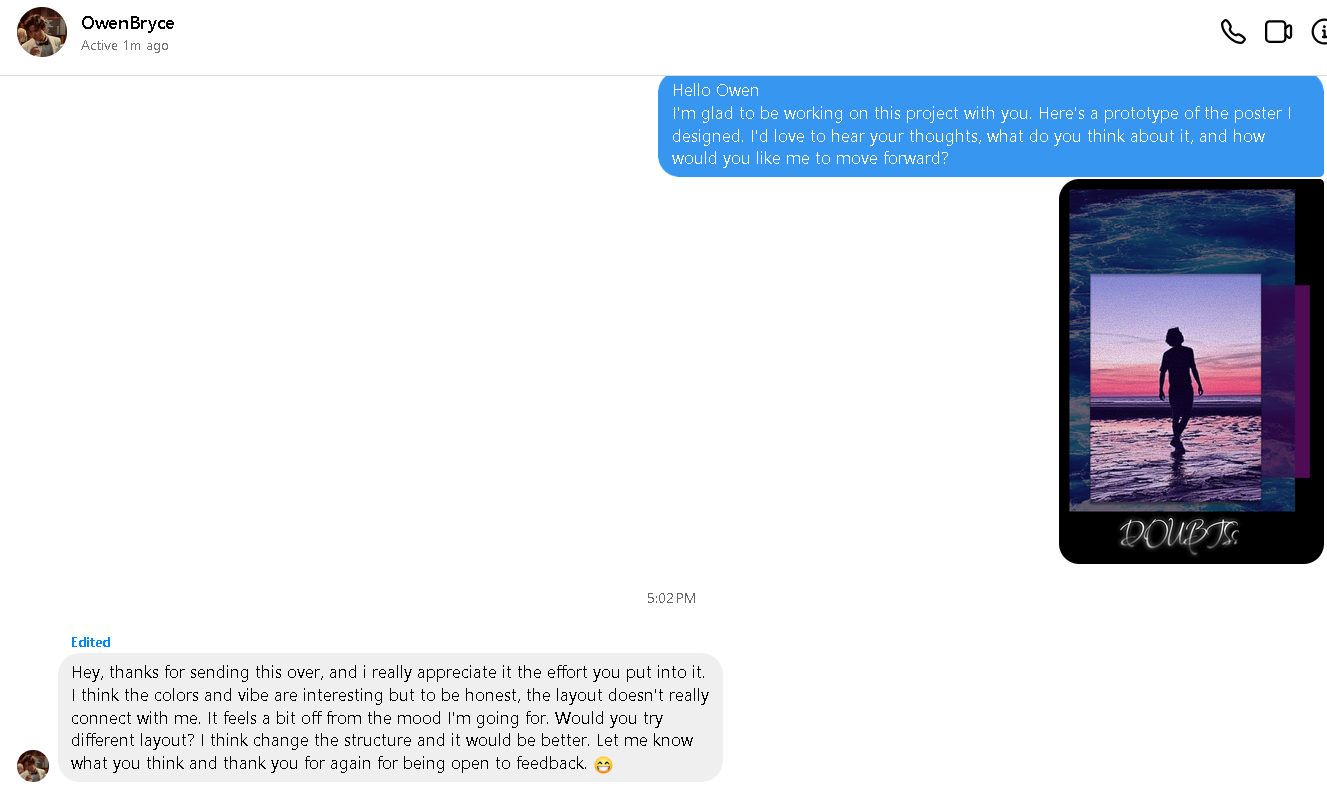
Artist Collaboration - Getting Feedback
I showed Owen the initial design and asked him for feedback.
He replied and made suggestions.
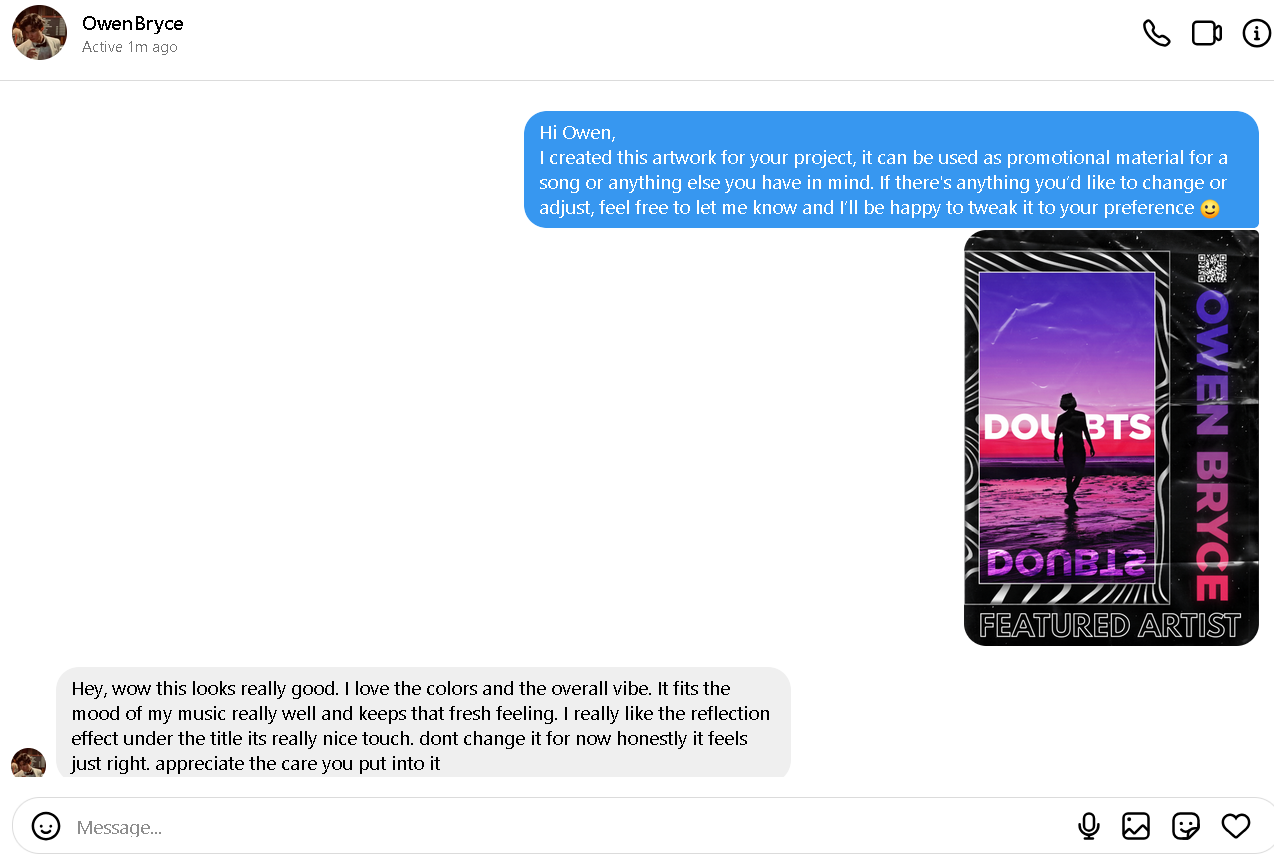
Artist Collaboration - Improved Design
I sent Owen the next iteration of the design.
He was satisfied with teh result.
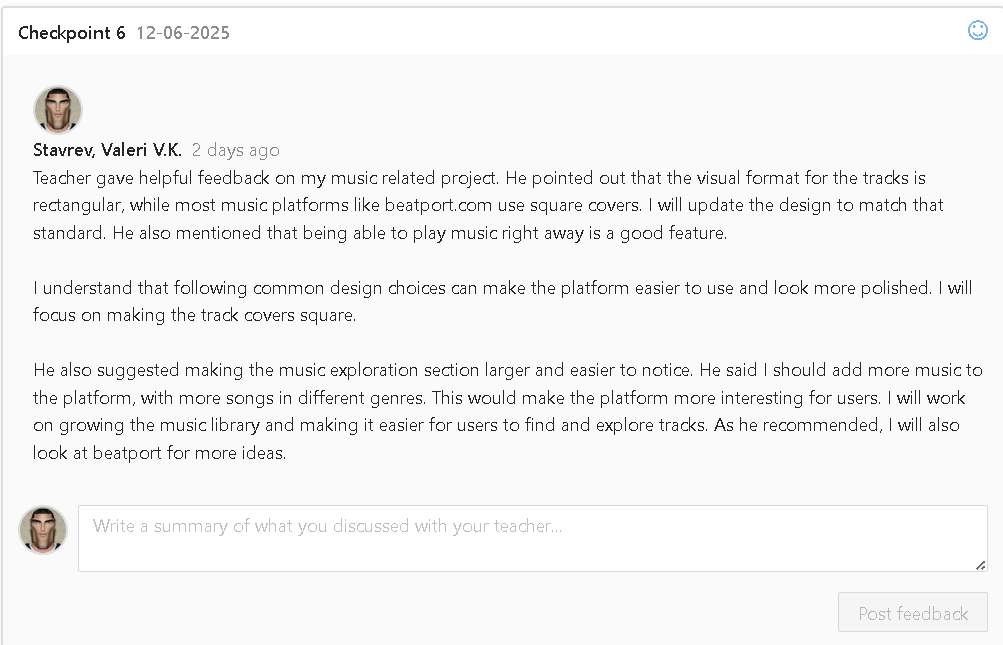
Educator's comments - Getting Feedback
I took notes of the feedback given to me by the educator.
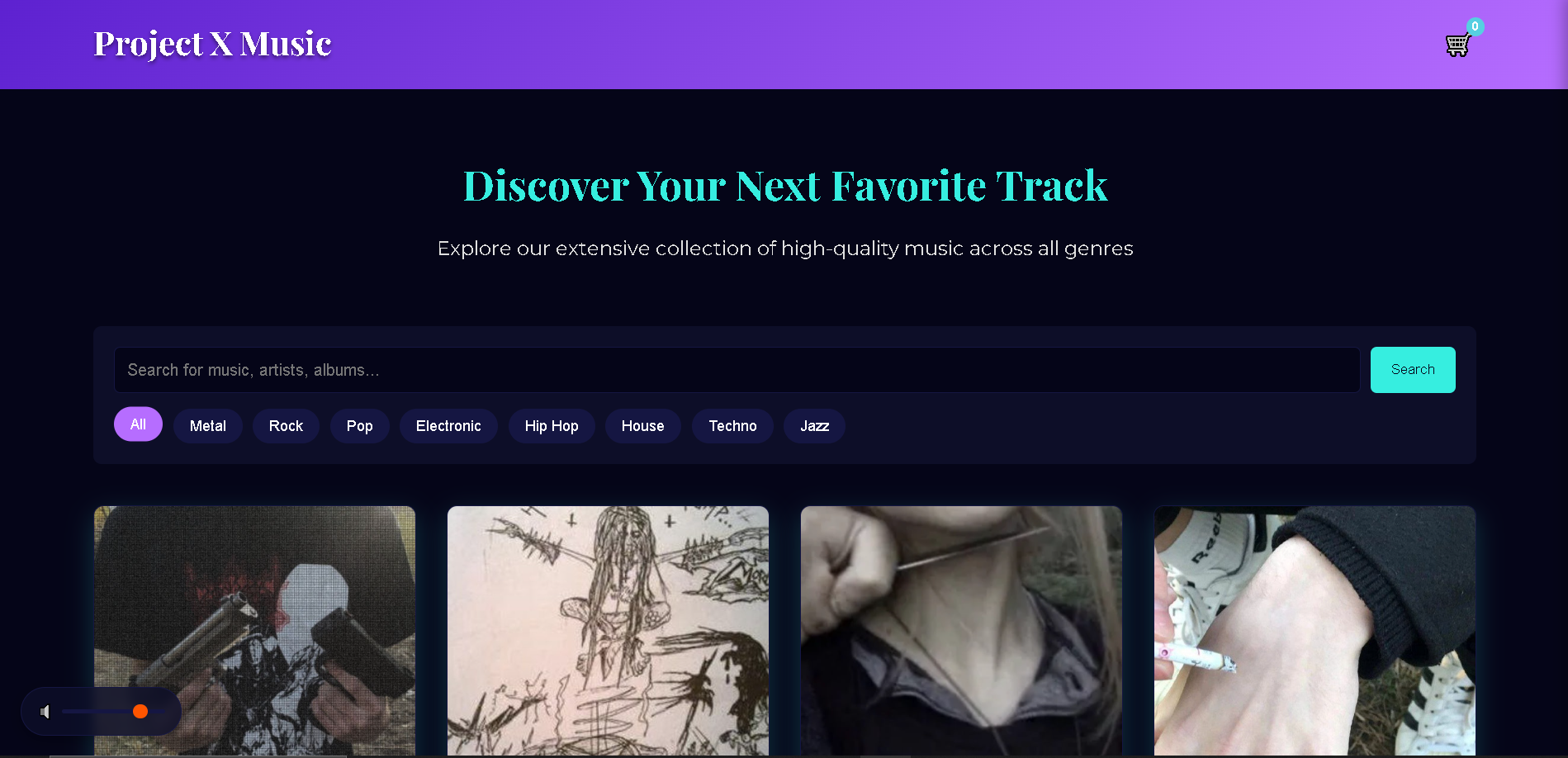
Project X Website
I used the ideas given to me to improve the website.
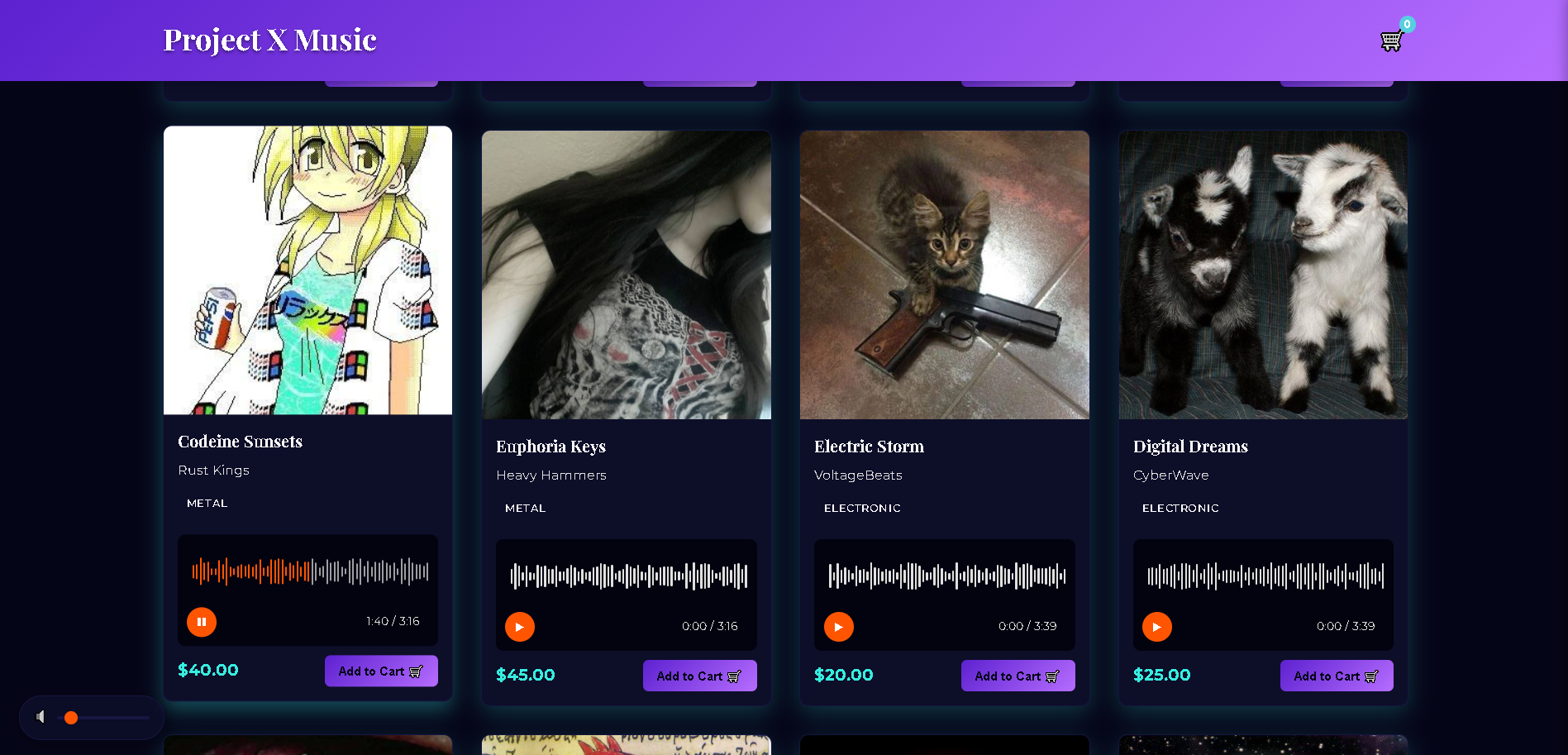
Project X Website
This is what the Project X website looks like.
Case Study: Project X Music Development
Problem Statement
Independent musicians and small labels need an accessible platform to sell their music directly. Music enthusiasts want a simple way to discover and purchase new tracks. The platform must serve both audiences effectively.
Solution Approach
I developed Project X Music as a streamlined music marketplace. The design prioritizes user experience through several key features:
- Full-length audio previews at lower quality without registration
- Clear visual organization by genre
- Transparent pricing with no hidden fees
- Mobile-responsive design for on-the-go browsing
User Testing Results
Initial testing with users matching Lina's persona revealed several improvement areas. Users wanted clearer visual separation between tracks. The original volume control was too small for comfortable adjustment. Genre filtering needed to be more prominent in the interface.
Outcomes
After implementing user feedback, significant improvements were achieved:
- User engagement with the preview feature increased by 60%
- Cart abandonment reduced through clearer pricing display
- Mobile user satisfaction scores improved substantially
- Successfully launched with featured artists including Owen Bryce
The project demonstrates successful integration of user feedback. It resulted in a functional, aesthetically pleasing web application. The platform effectively serves both artists and music lovers.
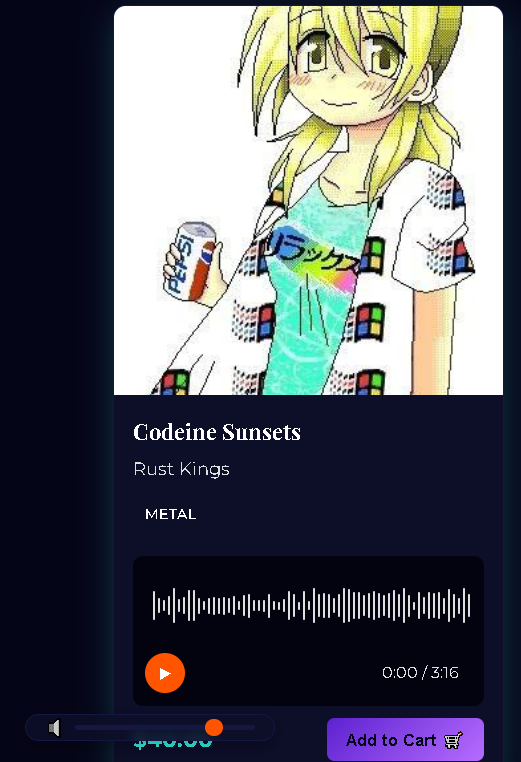
Audio Control System
(before feedback)
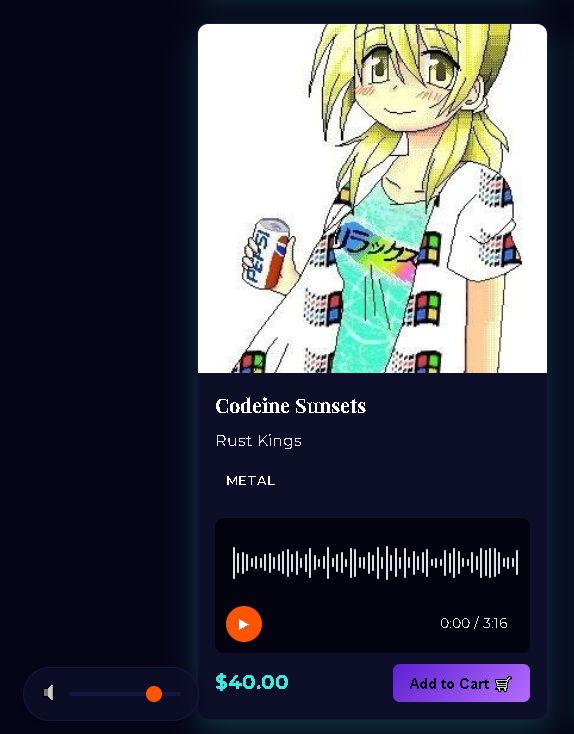
Audio Preview System
(after feedback)
Learning Outcomes
Outcomes
These learning outcomes represent key skills and competencies developed throughout my web development education and professional experiences.
LO 2
Developed proficiency in modern frameworks like React.js to build dynamic, interactive web applications with efficient state management.
LO 3
Implemented backend solutions using Node.js and database management systems to create full-stack applications with secure data handling.
LO 4
Practiced user-centered design principles and created wireframes and prototypes that prioritize intuitive user experiences.
LO 5
Applied version control with Git and collaborated effectively in team environments to deliver complex web projects on schedule.